


Unable to Automatically Install
You've been redirected here because you are either running an unsupported web browser for automatic installation or an unsupported Operating System.
To use the automatic installer, you must have:
Firefox 2.0.6 or later
Ubuntu 7.10 (Gutsy) or later
Just because you've arrived here, doesn't mean you can't use Mythbuntu with your existing installation. You just need to go through a few extra steps.
Pre-requisites
1) Universe and Multiverse must be activated.
Information on how to setup your repositories is available on the Ubuntu MythTV wiki
2) You must be running Ubuntu 7.10 (Gutsy) or later.
You can check your version by Choosing System, Followed by "About Ubuntu"

Installing
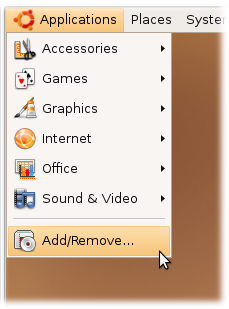
Click on Applications and Choose Add/Remove .
From the top right drop down menu, choose All available applications.

In the search box, search for mythbuntu .

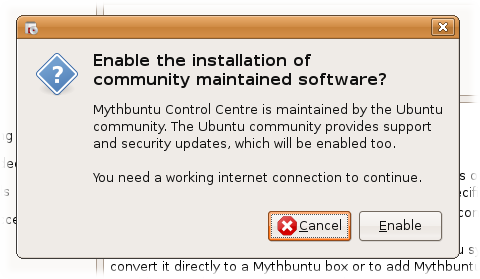
Select Mythbuntu Control Centre and agree to the dialog regarding community supported software.
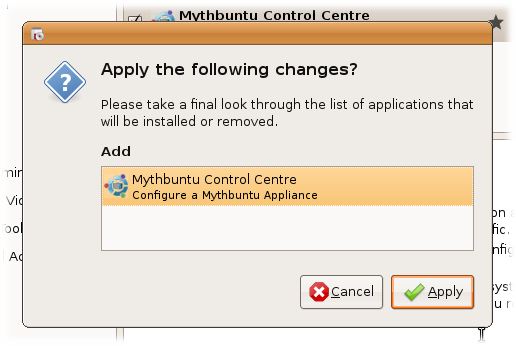
Follow on screen installation directions.
Configuring
Choose System, Administration, Mythbuntu Control Centre to open up the Control Centre. From here you can modify all options that are already setup during a normal Mythbuntu Installation.
